Azure Local Networking: The Decisions That Actually Determine Whether Your Cluster Survives Failover
I have lost count of how many Azure Local conversations start the same way: someone on the client side says “we've done networking for twenty years, how hard can this be,” and six weeks later we're on a call at 9pm working out why storage traffic is dropping packets under load. Networking is the part of Azure Local that looks the most familiar and behaves the least like what people expect. That gap is where projects lose weeks.
This post is really two posts stitched together. The first part is for the person signing off on the project — a few minutes of reading that will arm you with the right questions to put to your engineering team before hardware gets ordered. The second part is for that engineering team — the actual configuration logic, the protocol trade-offs, and the switch design decisions I've had to make and re-make on real edge deployments.
The Executive Summary: What to Ask Your Team Before You Buy Hardware
If you only read one section, read this one. You don't need to understand RDMA or QoS tagging to ask good questions — you just need to know which questions expose the gaps before they become outages.
Ask your team:
“Which protocol are we using for storage traffic, and does our switch hardware actually support it?” There are two credible answers here (RoCE or iWARP), and the wrong answer for your existing switch estate is expensive to discover after go-live.
“What port speeds are we provisioning, and have we sized them for failover, not steady state?” Everything looks fine at normal load. The question that matters is what happens when one node goes down and its traffic has to fit through the survivors.
“How does our network design affect our RPO and RTO commitments?” Storage replication traffic competes with everything else on the wire. If it's not properly separated and sized, your recovery objectives are aspirational, not engineered.
“What actually happens in a failure scenario if our network intents aren't sized correctly?” Make your team walk you through a node failure, live, on a whiteboard. If they can't, that's the answer.
“Do we need microsegmentation for compliance, and do we know which implementation path that requires?” This one has a nasty habit of getting nodded through in a compliance meeting and then discovered as a six-week SDN deployment during implementation.
If your team can answer all five with specifics rather than reassurance, you're in good shape. If you get hand-waving on any of them, that's your signal to slow down before hardware ships — not after.
Everything below this point is for the people who'll actually build it.
The Three Intents Many Companies Don't Budget Properly
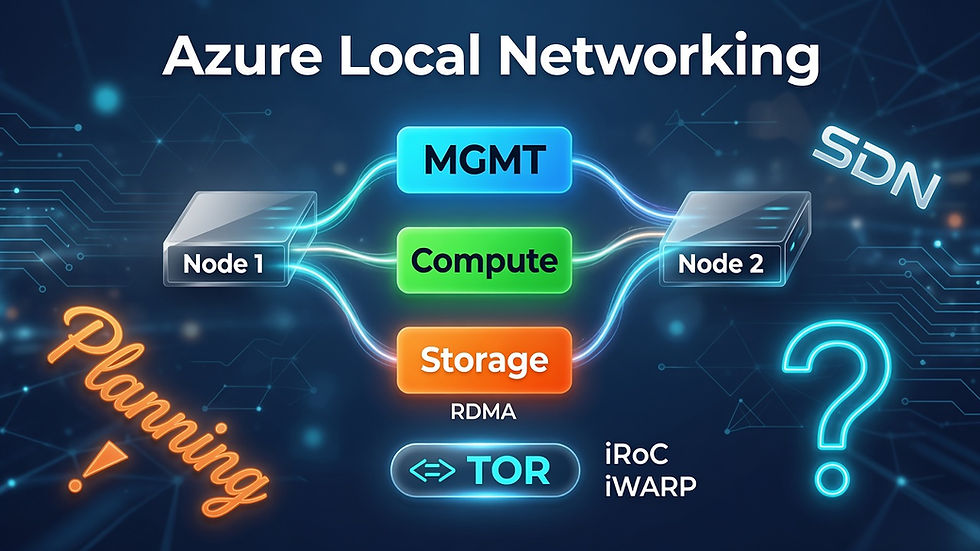
Azure Local networking splits your traffic into three intents: compute, storage, and management. In theory this is clean separation. In practice, I see the same mistake on a majority of the deployments I get pulled into after the fact: someone budgets bandwidth for what the cluster needs on a normal Tuesday, and nobody budgets for what it needs during a failover.
Here's the failure mode. Under normal conditions, each intent is comfortably under its allocated bandwidth. A node goes down. Its compute workloads move to the survivors. Its share of storage replication traffic has to go somewhere. Suddenly the intents that were fine at 40% utilization are pushed toward 100%, and if you're running RoCE for storage, that's exactly the condition under which a lossless network that wasn't configured as lossless starts dropping packets. UDP-based protocols don't politely retransmit and wait — they just lose data and your storage layer has to recover from it, which is precisely the moment you don't want storage recovering from anything.
The lesson: size intents for your worst failure scenario, not your average Tuesday. This is the single most common thing I correct when I inherit somebody else's cluster design.
Storage Protocol: RoCE vs iWARP Is a Decision You Make Once and Live With
Both protocols deliver RDMA — Remote Direct Memory Access, the capability that lets storage traffic bypass a chunk of the normal network stack overhead. Where they differ is what they ask of your network in exchange.
RoCE (RDMA over Converged Ethernet) runs over UDP and delivers meaningfully higher performance at scale, but it demands a properly configured lossless network — specific QoS and flow control settings on every switch in the path. Get that configuration wrong, or inherit switches that don't support it well, and you'll see the packet-drop-under-load problem described above. This is not a “set it and forget it” protocol; it needs to be verified, not assumed.
iWARP runs over TCP, which means it inherits TCP's own retransmission and congestion handling. It's more forgiving — no special lossless QoS tuning required — and it's generally a safer default for environments without dedicated networking depth on staff. The trade-off is lower performance at scale compared to a properly tuned RoCE setup.
My rule of thumb: if your team has the networking maturity to configure and verify lossless QoS end to end, and your hardware supports it, RoCE is worth it. If you're not confident your switch estate and your team's day-to-day operations will keep that lossless configuration intact over time — including after the next firmware update or the next junior engineer touches a port config — iWARP's forgiveness is worth more than RoCE's ceiling. Check the Microsoft Learn / Azure Local compatibility lists for your specific NIC and switch models before deciding; Cisco's classic switch line tends to have the broadest support, but “supported” and “well-supported for RoCE specifically” are not always the same list.
Port Speeds and Switch Sizing: What “Enough” Actually Means
Port speed conversations tend to default to whatever number sounds impressive. That's the wrong axis. The right axis is what your server and disk configuration actually demands, and what redundancy costs you if you skip it.
As of 2026, here's roughly where the market sits: 10G SFP uplinks are common on older switch estates, 25G has become the de facto standard for new Azure Local deployments, and 100G shows up on high-end gear where server density and disk throughput justify it. Bigger servers and faster disks need more bandwidth — that part is intuitive. The part that isn't intuitive is redundancy.
My baseline recommendation for a general-purpose production cluster: a minimum of two NICs per port across all three intents — compute, storage, and management — on 25G ports. That's not a maximum, it's a floor. I've seen “converged everything onto one port” configurations work fine in lab and test environments, and I've seen exactly the same configuration fail to reveal its problems until the first real failover under load — which is the worst possible time to learn your network can't handle it. Converged setups have their place. Production isn't it.
Switchless vs Top-of-Rack: Where the Node Count Actually Matters
For a two-node cluster, switchless storage interconnect — direct crossover or direct-attach 25G cabling between the two nodes — is a legitimate, low-cost, simple design. No switch in the storage path at all.
Officially, Azure Local's own deployment guidance supports switchless configurations up to four nodes. In practice, I wouldn't run it there, and I don't recommend it to clients even though it's technically supported. Somewhere around three nodes, the cabling stops looking like a clean topology and starts looking like spaghetti — and reconfiguring a switchless production cluster later, once it's live and carrying real workloads, is painful in a way that's easy to underestimate from a whiteboard. My practical threshold: plan for a Top-of-Rack switch starting at three nodes, even though official guidance permits going further without one. The cost of introducing the switch a little earlier than strictly necessary is trivial compared to the cost of retrofitting one into a live cluster, and “supported” isn't the same bar as “advisable.”
SDN and Microsegmentation: The Compliance Question That Arrives Without an Implementation Plan
This is the section that tends to surprise people, because it usually enters the conversation from the compliance side rather than the engineering side. Someone in a governance review says “we need microsegmentation,” everyone nods, and the actual implementation path only gets discussed once the project is underway.
Not every customer has an existing SDN or SDA overlay — VXLAN-based — on their switch estate already. Without that in place at the Azure Local cluster level, your microsegmentation options are more limited than a compliance slide deck tends to assume. There are two real paths:
Arc-managed Network Security Groups. Lower operational overhead, but scoped: this only applies to Arc-managed VMs. It doesn't touch raw Hyper-V-plane VMs sitting outside Arc management, and it doesn't extend to AKS network policy — that's a separate, Kubernetes-native concern usually handled by different tooling entirely.
Full SDN Network Controller deployment. This installs dedicated Network Controller nodes onto the cluster and gets you genuine, complete SDN capability. It's a heavier lift to install and operate, and if your organization already runs Cisco ACI on the outside, that changes your integration approach compared to running Azure Local's SDN standalone against a legacy VLAN/routing-based network.
If you already have Cisco's SDA/ACI overlay in place, Cisco publishes integration guidance for bringing that into the Azure Local SDN model — worth reading before you assume you're starting from zero. My honest read on where Microsoft is heading here: there are signs of ongoing work to unify the Arc and SDN controller experience into something less bifurcated than it is today. I wouldn't put that on anyone's roadmap as committed fact — but it's worth checking current Microsoft Learn guidance before you lock in a design, since this is one of the faster-moving corners of the platform.
The practical takeaway: when compliance asks for microsegmentation, get the implementation path scoped — Arc NSGs or full SDN — before it becomes a surprise line item in month four.
The Granularity Trap: Why More Microsegmentation Doesn't Automatically Mean More Security
Here's the tension I think gets skipped in most microsegmentation conversations. Leaders like network automation and microsegmentation partly because it satisfies compliance requirements on paper. But the finer-grained you go — the more specific your rules become per device, per workload — the more detailed your application knowledge needs to be to write those rules correctly. And in my experience, that level of application detail is very often simply not there.
This isn't a knowledge gap you can wish away. It usually has to be built, in combination with the SDN or segmentation tooling itself, by running the environment in monitor mode for a meaningful stretch of time and then distilling the necessary traffic flows out from the noise. That discovery phase takes real time, and it's routinely underestimated in project planning — it's not a checkbox, it's an investigation.
The second half of the tension is this: the more tightly you lock a system down, the more you should expect it to break from completely routine events — an update, a reboot, a new feature getting switched on that wasn't active when the rules were written. Fine-grained rules are precise, and precise rules are brittle. Every change to the environment is now a candidate for breaking a rule nobody remembers writing.
Which is where this ties directly back to cloud maturity. Microsegmentation done well assumes a foundation and a process that can absorb that fragility — a team that can triage and fix a broken firewall rule quickly, as routine operational work, not as a fire drill. If that process isn't efficient, you don't get a more secure environment. You get an organization that starts opening ports wide just to keep production running, which quietly defeats the entire point of doing microsegmentation in the first place.
So before committing to a granular segmentation model, it's worth being honest about two things: whether you actually have the application-level knowledge to write correct rules today, and whether your change process is fast enough to survive the fragility that level of precision introduces. Neither is a reason to avoid microsegmentation — but both should shape how aggressively and how quickly you roll it out.
Final Thoughts
None of this is exotic. Every decision in this post — intent sizing, RoCE vs iWARP, port redundancy, switch topology, SDN scope — is something a competent networking team can get right on the first pass, provided the questions get asked before the hardware ships rather than after the first failover exposes the gap. The pattern I keep running into isn't a lack of capability on the client side. It's that networking looks familiar enough that it doesn't get the same scrutiny as the parts of Azure Local that obviously look new. That's precisely backwards — the network is where an edge cluster's operational discipline gets tested first, and it rarely announces its problems until something actually goes wrong.
If any part of this matches friction you're currently hitting on your own Azure Local rollout, I'd be glad to compare notes.


Comments